Why Ubuntu on Windows?
This article was written in 2017. Some information may be outdated. Nowadays, WSL2 is available with better performance and full Linux kernel support.
For programming, I prefer Linux to Windows. Yet Windows excels at entertainment and office work. Microsoft Office remains the best office suite I have encountered, and OneNote ranks among my favorite note-taking applications. And let’s not forget my beloved Blizzard games—Diablo, Starcraft, and others.
One solution for integrating both systems is dual-boot. However, constantly switching between two operating systems grows tiresome. Moreover, you must configure both systems to transfer files across different partition formats.
Another approach is running Windows or Linux in a virtual machine. Since I frequently play video games, Windows cannot serve as the guest OS. Running Linux virtually seemed promising, but unfortunately my laptop lacked the horsepower to run the VM smoothly.
Finally, Microsoft introduced a new feature in Windows 10 called the ‘Windows Subsystem for Linux’. Surprisingly, it works flawlessly—with only a few minor caveats.
Settings
-
Enable the Windows Subsystem: open
Windows featuresand selectWindows Subsystem for Linux. Wait for installation to complete and restart. -
Open the Microsoft Store and install Ubuntu. I also noticed OpenSuse in the store. Hopefully more distributions will become available in the future—especially Arch Linux or Manjaro, my personal favorites.
-
After experimenting with Ubuntu and Tmux in
cmder, I discovered that wsltty works best for avoiding font rendering and arrow key issues. It also runs faster thancmder, thoughcmderoffers more features.
Here is the result:
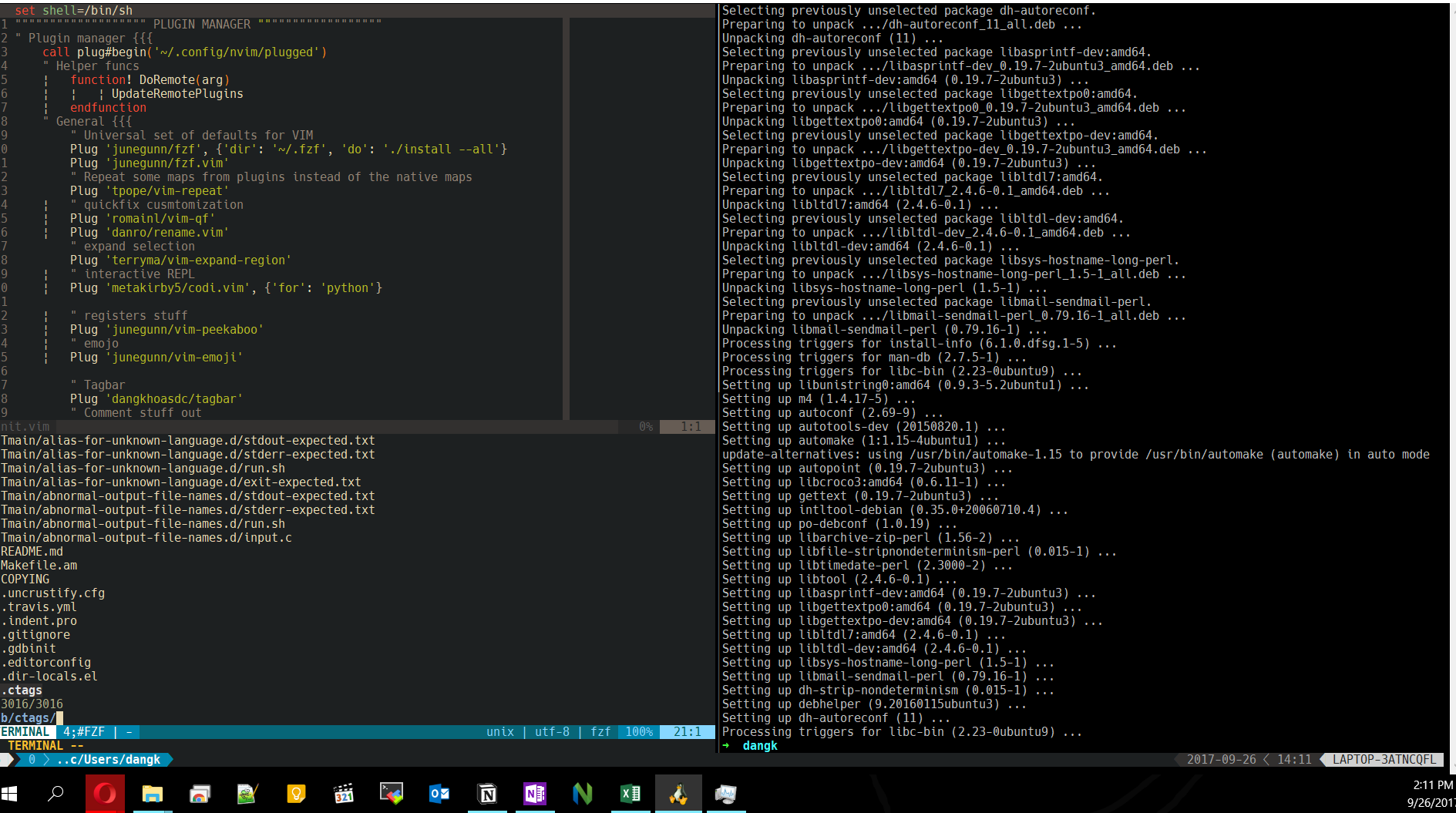
There are several tips:
- Change the cursor to block.
- Turn off the mouse support feature in vim (
:set mouse=) in order to copy text from Windows to vim. - Copy from vim to Windows applications:
- Install xsel/xclip on Ubuntu.
- Install Xming
- Set
export DISPLAY=:0in the bashrc or zshrc
Installing ArchLinux on WSL
After months of searching for a better solution, I finally discovered ArchWSL—easy to install and highly configurable. It also turned out that wsltty wasn’t quite what I needed due to lingering Unicode font and input delay issues. Now I use xfce4-terminal with help from Xming.
With a few steps we are able to run xfce4-terminal directly from Windows:
- Set Xming to run on startup.
- Use the following command in Run to execute
xfce4-terminal:
C:\Windows\System32\WindowsPowerShell\v1.0\powershell.exe -windowstyle hidden -Command "iex \"path\to\arch.exe run DISPLAY=:0 xfce4-terminal\""Windows Defender
Windows Defender proved so annoying that I had to intervene. Somehow, it constantly scans the Linux folder, causing everything in the Subsystem to crawl. A better workaround: add the Linux folder to Windows Defender’s exclusion list.